Skip to content
ONE APPROVED SOURCE FOR MENU, ALLERGENS & SERVICE

The one source your team runs service from.

Digital menu software for restaurants — EU allergen workflow, QR codes, printed PDFs, kitchen matrices and staff sheets, from one approved source.

A wrong allergen answer can derail a service — and a reputation. Crumb keeps your QR menus, printed PDFs, allergen matrices, and staff sheets aligned from one approved source, so every shift starts with the correct information.

No card required · 14 days free · Live the same day

0

menu / print drift

14 / 14

EU allergens covered

Same day

service-ready draft

Or see pricing →

14-day trial

Launch before your next service

EU 1169/2011

Built around the 14 regulated allergens

QR + print + proof

One menu source for every service output

The pre-service scramble

Menu information breaks down fast in real restaurants.

Restaurant menu data is not static. It changes constantly — and when QR menus, PDFs, staff sheets, and kitchen notes drift apart, the people who pay are your staff and your guests.

  • Chef changes a sauce, garnish, or ingredient before service.

  • A supplier swaps a product and the allergen profile shifts.

  • Printed menus are outdated; the QR menu has already moved on.

  • Staff are unsure which dishes can be modified safely.

  • Managers do not know which menu version is the approved one.

  • A guest asks about a severe allergy during a busy shift.

Crumb helps prevent the usual pre-service scramble by keeping every menu output connected to the same approved source.

Beyond a QR menu

What restaurants are really paying for.

A QR menu shows guests a menu. Crumb helps your team manage the information behind the menu — so service starts with clarity instead of confusion.

One source, every output

Update a single dish. The QR menu, PDF, kitchen matrix, and staff sheet all stay identical — no version drift, no contradictory printouts.

Allergens you can trust

Contains, may-contain, and can-be-made-without are kept separate and tracked at ingredient level — not buried as a footnote at the end of a dish.

No mid-service guesswork

Front and back of house read from the same source. No phone calls to the chef mid-shift, no hoping the waiter who knows the menu is on tonight.

Less admin

Reduce the time spent updating separate PDFs, printouts, QR menus, and staff notes.

Review discipline

Track what was reviewed, what changed, and what still needs attention.

Multi-site control

Help groups keep venue-level menus organised while maintaining a consistent workflow.

Guided sample tour

See the guest experience before you build your first menu.

Walk through the flow your guests and staff will use: scan, filter, translate, check allergens, print, and keep every output aligned.

1

Scan the guest menu

See how guests filter allergens, switch languages, understand modifications, and decide what needs a staff conversation.

2

Review the service flow

Follow one dish from ingredient edit to live QR menu, menu PDF, staff sheet, kitchen matrix, and QR table card.

3

Start with a ready structure

Begin with a polished restaurant menu structure instead of rebuilding every dish, note, allergen label, and printable from scratch.

Designed to get a safer menu live before the next service

Four ways your menu can look.

Because a tasting menu, brasserie, hotel, and compliance-first operation should not all be forced into the same generic QR layout.

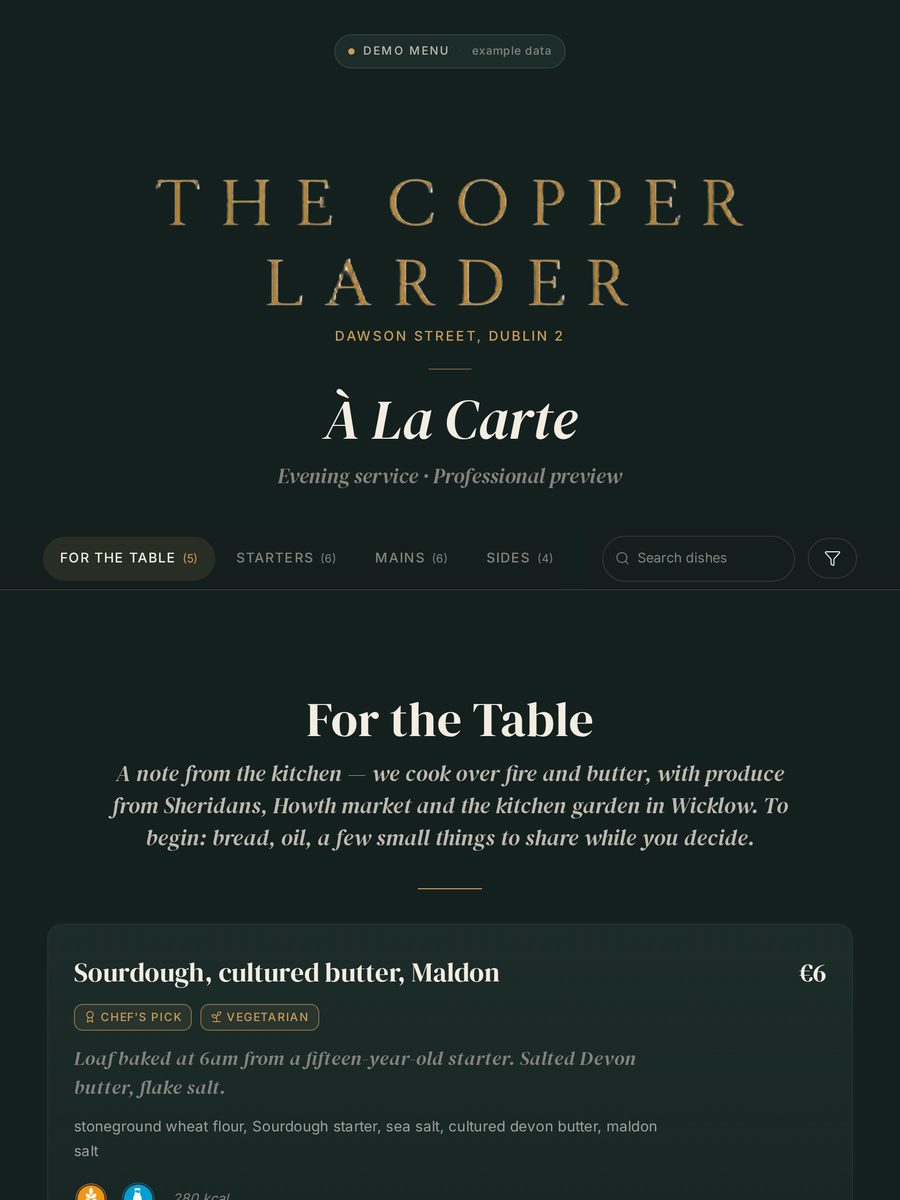
Editorial

Photography-led magazine layout. Large images, generous whitespace, confident serif headlines.

Best for

  • Premium independents
  • Strong photography
  • Instagram-driven venues
  • Restaurants with dedicated photography budgets
Preview this style →

Built for the moments allergen mistakes usually happen.

The guest scanning at the table. The waiter checking a substitution. The kitchen changing a supplier. The printed menu that must still match.

Guests choose with less uncertainty

Diners scan, filter allergens, spot possible modifications, and understand what needs a staff conversation before they order.

See the guest experience →

Staff answer from the same source

Ingredient changes flow into dishes automatically. Kitchen matrix and staff sheets are ready when service needs them.

Build your menu →

Owners see where guests hesitate

See which filters guests use, which dishes disappear for dietary needs, and where small modification changes open more of the menu.

See what you learn →
Allergen workflow, done properly

All 14 EU allergens. Every dish. Every time.

Most QR menus treat allergens as a note at the end of a dish. Crumb builds from the ingredient up — change a supplier once, and every affected dish, printout, and guest-facing answer follows.

Crumb tracks

  • Celery
  • Crustaceans
  • Eggs
  • Fish
  • Lupin
  • Milk
  • Molluscs
  • Mustard
  • Peanuts
  • Sesame
  • Soya
  • Sulphites
  • Tree nuts
  • Gluten

And handles

  • Contains vs may-contain distinction
  • Ingredient-level allergen inheritance
  • Strict mode for severe allergies
  • 'Can be made without' modifications
  • Optional entry disclaimer with acknowledgement logging
  • Menu PDF, kitchen matrix, and staff-sheet printables
  • EU 1169/2011 workflow support
Compliance evidence pack

Accuracy you can explain before service starts.

Crumb keeps allergen and nutritional information traceable from ingredients through to guest menus, QR menus, staff sheets, kitchen matrices, and printable review records.

14 EU allergens
Professional audit trail
PDF policies

EU allergen disclaimer

Crumb supports EU 1169/2011 allergen workflows, but it does not replace supplier verification, kitchen cross-contact controls, staff judgement, or final restaurant approval before service.

Recommended cadence: review records whenever suppliers, recipes, preparation methods, shared equipment, or published menus change — and complete a scheduled full review at least monthly.

Traceable source data

Ingredient records separate contains, may-contain, removable components, supplier notes, and nutrition fields before they reach a dish.

Review-before-publish workflow

Supplier changes, recipe edits, nutrition overrides, and kitchen-approved modifications stay visible until a responsible team member reviews them.

Professional audit trail

Document downloads and menu compliance acknowledgements are recorded in the admin Publish area for teams that need proof of review.

One publication record

Guest menus, QR links, staff sheets, kitchen matrices, and printable records are generated from the same approved menu state.

Clear responsibility framing

Crumb supports accuracy and auditability; restaurants remain responsible for supplier checks, kitchen process, and final guest-facing approval.

Turn common questions into clear answers

When guests can see what is possible, they stay in the menu.

“Can it be made without dairy?” should not depend on who is holding the section. Mark flexible ingredients once, and Crumb shows guests which dishes may still work before the conversation reaches the table.

38%

typical menu coverage for dairy-free guests without modifications flagged

67%

average coverage after flagging common substitutes

Based on aggregated Crumb usage data.

How modifications work →
Plan outputs

What each tier actually produces.

Plain-language comparison of what guests see, what the kitchen can trust, and what managers can export when service or review time arrives.

Plan

Solo

One venue getting allergens, QR, and print under control.

Guest experience

A branded QR menu with allergen filters, clear dish descriptions, modification notes, and printable menu backups.

Compliance workflow

Ingredient-level allergen records, may-contain notes, kitchen matrix, and staff sheet generated from the same menu source.

Exports

Menu PDF, QR cards, allergen matrix, and service-ready staff sheet.

Duo

Two venues sharing standards without duplicating menu admin.

Guest experience

Everything in Solo, plus bilingual guest menus and one guest-facing wine list for the group.

Compliance workflow

Shared ingredient library and team access so both venues work from the same allergen and dish logic.

Exports

All Solo printables, bilingual menu outputs, and wine list publishing for guest service.

Group

Groups rolling out consistent menu operations across 3–15 venues.

Guest experience

Multi-venue QR menus with AI-assisted translations, wine lists, allergen filtering, and modification clarity across sites.

Compliance workflow

Compliance audit trail, publish acknowledgements, review evidence, unlimited team members, and venue-by-venue oversight (Professional).

Exports

CSV/PDF insights exports, cost reports, compliance evidence, menu PDFs, matrices, staff sheets, and QR assets.

Enterprise

Larger hospitality groups that need rollout support and governance.

Guest experience

Everything in Group Professional, plus all five menu languages, unlimited AI translation, and rollout patterns for complex estates.

Compliance workflow

Dedicated support, SSO options, custom controls, and compliance workflows shaped around the group’s operating model.

Exports

Unlimited Group Professional exports, group-level reporting support, compliance packs, and custom rollout documentation.

Choose your venue count, then choose your level.

Solo is where an independent restaurant gets its menus, allergens, and printables under control. Professional and Group are where serious and multi-site operators run daily service. Pick the level that matches how much your operation depends on getting service right.

Core

For restaurants that need essential menu, allergen, QR, PDF, kitchen matrix, and staff sheet tools.

Professional

For restaurants that need stronger review records, staff readiness, priority support, and advanced control.

14 days freeFull features, no card needed
2 months free yearlyAnnual billing = 10 months paid
Founding offerFree assisted setup, worth €199, for early customers

Solo

One venue. Core or Professional.

From €49/ month

Core €49 · Professional €69

  • 1 venue, unlimited menus
  • All 14 EU allergens
  • Menu PDF, matrix, staff sheet
  • Branded QR codes

Duo

Two venues sharing one standard.

From €89/ month

Core €89 · Professional €119

  • Up to 2 venues
  • Shared ingredient library
  • Up to 3 team members
  • Everything in Solo, for both venues
Most popular

Group

3 to 15 venues, consistent across sites.

From €129/ month

Core from €129 · Professional from €169

  • 3 to 15 venues
  • Unlimited team members
  • Per-venue branding
  • Cross-venue menu rollout
  • Audit history (Professional)
  • Compliance pack (Professional)
Compare Core vs Professional →

Enterprise

16+ venues or compliance-heavy groups.

From €999

Custom pricing and contract

  • Unlimited venues and team members
  • Everything in Group Professional
  • Single sign-on options
  • Dedicated account care

Crumb is priced to stay accessible for independent restaurants while still supporting serious multi-site operators.

Common questions.

Basic QR menus mainly display information to guests. Crumb helps manage the menu information behind the scenes — allergens, staff sheets, kitchen matrices, PDFs, translations, review records, and venue workflows — so service starts with one approved source instead of four versions in four places.

No. Solo Core is designed for independent restaurants that need a simple, reliable menu and allergen workflow. Professional and Group plans add more control for serious or multi-site operators.

Professional is for restaurants that want stronger review records, staff readiness tools, priority support, and advanced control. Core covers accurate menus and allergens; Professional adds the review, audit, and service-readiness workflow on top.

No. Crumb supports allergen workflows by helping teams organise, review, print, and present menu information clearly. Restaurants remain responsible for supplier verification, kitchen cross-contact controls, staff training, and final approval before service.

Yes. Restaurants can self-serve or choose assisted setup, full menu migration, or multi-site onboarding. See the setup options on the pricing page.

Most restaurants go live in under 30 minutes. Pick your style, add your dishes, publish. Ingredients auto-build their allergen profile as you type — so by the time your menu is complete, your allergen workflow is in place.

No. Typographic, Hybrid, and Matrix styles are designed to work beautifully without a single photo. Typographic is the style used by Noma, Lyle's, and Chez Panisse — restraint as luxury. Choose the style that matches your restaurant, not the other way around.

Crumb is structured around the 14 allergens listed in EU Regulation 1169/2011, with contains vs may-contain distinction, ingredient-level tracking, and an optional guest acknowledgment disclaimer with session logging. It gives your team the structure to manage that information clearly — final responsibility for accuracy still sits with the restaurant.

Yes. Custom colours from a curated palette, embedded venue logo, custom header text and tagline. Download PNG, SVG, or print-ready PDF at A6 size. Designed to sit beautifully on a table card, not shout.

Crumb can generate guest-ready menu PDFs, branded QR table cards, kitchen allergen matrices, and staff sheets from the same menu source. That means the printed pack, service notes, and QR menu all reflect the same dish and ingredient records.

Yes. Crumb uses one menu source for the guest QR menu, table cards, PDF menus, kitchen matrices, and staff sheets. Change the dish once, then regenerate the materials that service needs.

Venues choose the languages they want to publish, then manage dish, section, menu, and ingredient translations alongside the original content. Guests can switch language on the QR menu, while printed exports and staff materials continue to use the approved menu source.

Crumb separates contains, may-contain, and can-be-made-without notes so guests and staff do not treat every warning the same. Severe allergy language can be surfaced through the disclaimer and strict filtering flow.

Yes. Guests can filter allergens and dietary needs from the QR menu, see which dishes remain, and spot possible modifications before the conversation reaches the table.

Four roles: Owner, Manager, Editor, Viewer. Editors and Viewers can be scoped to specific venues — a Dublin editor can't accidentally change your Cork menu. Every role has permissions enforced at the database level, not just hidden in the UI. (Duo limits you to Owner, Manager, and Editor — Viewer role is a Group feature.)

Professional teams get a review pack covering allergen accuracy, nutrition data, and kitchen review documents, plus activity records for document downloads and review acknowledgements. It helps show when the team reviewed the menu before publishing — it does not replace supplier checks, kitchen judgement, or staff training.

Many of our customers run daily-changing menus. Crumb handles it well — reuse ingredients from your library, duplicate yesterday's menu as a starting template, publish in two clicks. For tasting menus and seasonal restaurants, Typographic style was specifically designed around this.

Your published menus stay live for 30 days so your guests don't hit broken links. Export everything to PDF at any time. Your data is yours — we'll hand it over in JSON on request, free of charge.

A single allergen incident can cost thousands in fines, insurance, and reputation. A custom QR menu and allergen matrix built by a designer and developer would cost €2,000–€5,000. Crumb replaces all of that for less than the price of one service shift. Most teams save two hours of menu admin per week — that alone covers the subscription.

Yes. The 14-day trial includes every feature in your chosen plan — all menu styles, allergen tools, printables, translations, and team permissions. No feature gates, no watermarks. If you decide Crumb is not for you, simply cancel. We never ask for a card upfront.