Digital restaurant menu designs — editorial, typographic, hybrid, and matrix QR menus.
Crumb gives restaurants four service-ready QR menu designs — from photography-led dining rooms to clean allergen matrices for hotels and large operations. Each style is allergen-aware, EU 1169/2011 ready, and built from the same single menu source as your printables and staff sheets.
Designed for restaurant service by someone who has worked the floor and the pass — read the story.
Hotels, large menus, catering, and compliance-first operations
Four menu styles, one menu source.
Tap any preview to open the live demo in the chosen style.
Best for premium independents
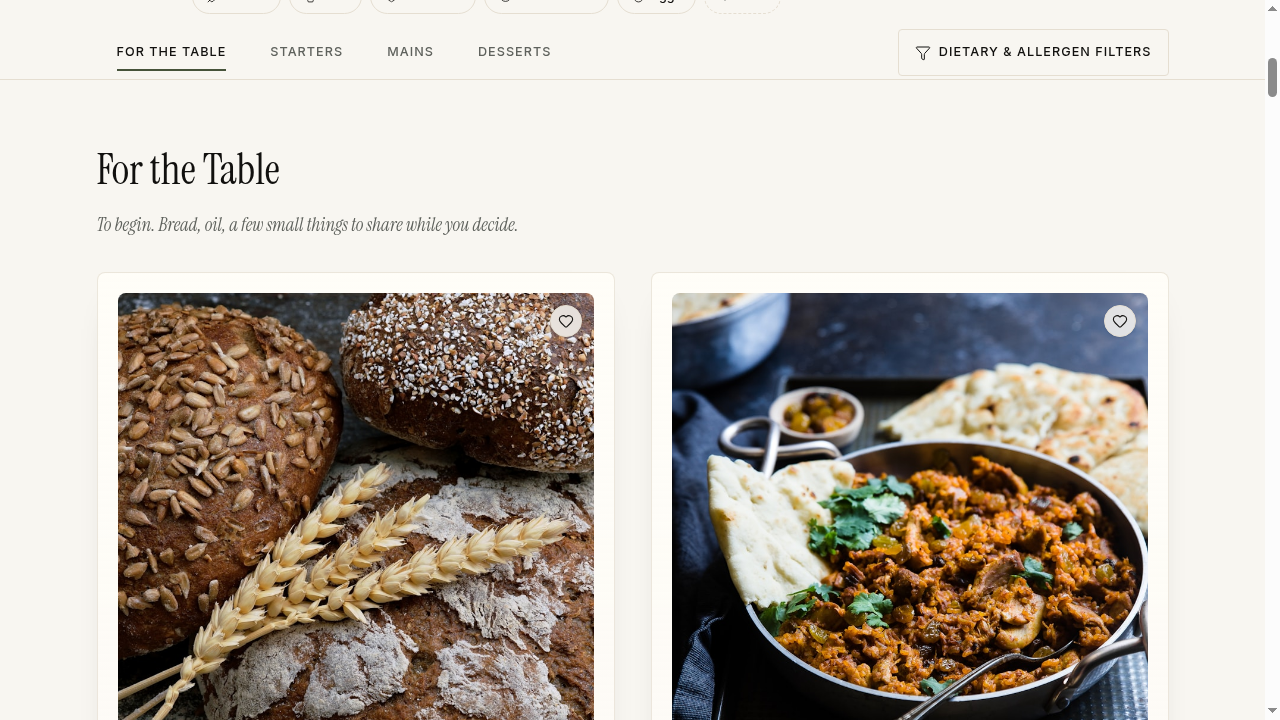
Editorial
Photography-led menus for restaurants with strong dish imagery and a magazine feel. Hero shots, generous whitespace, and considered typography put each dish forward like a feature story.
Best for: Premium independents, openings, and image-rich venues
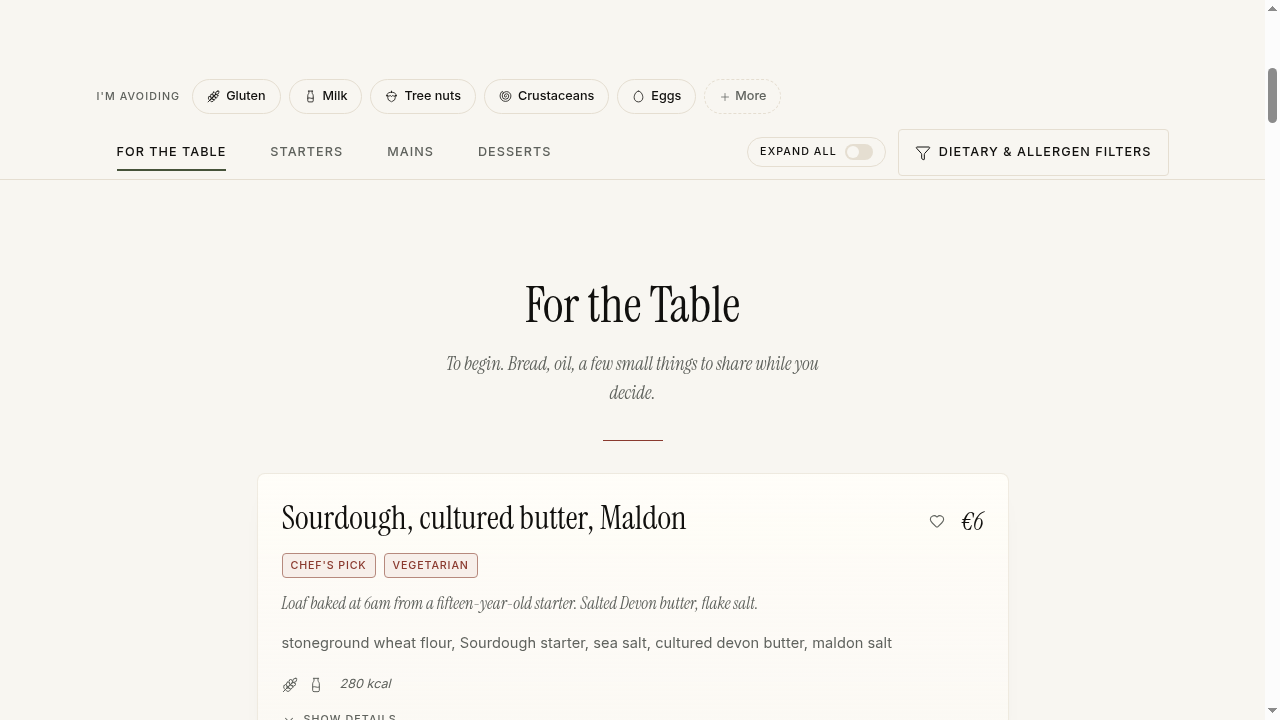
Image-free, restrained, and elegant. Dish names, ingredients, and rhythm carry the menu — ideal when photography isn't available for every plate or when the room speaks louder than pictures.
Best for: Tasting menus, seasonal menus, and restaurants without full photography
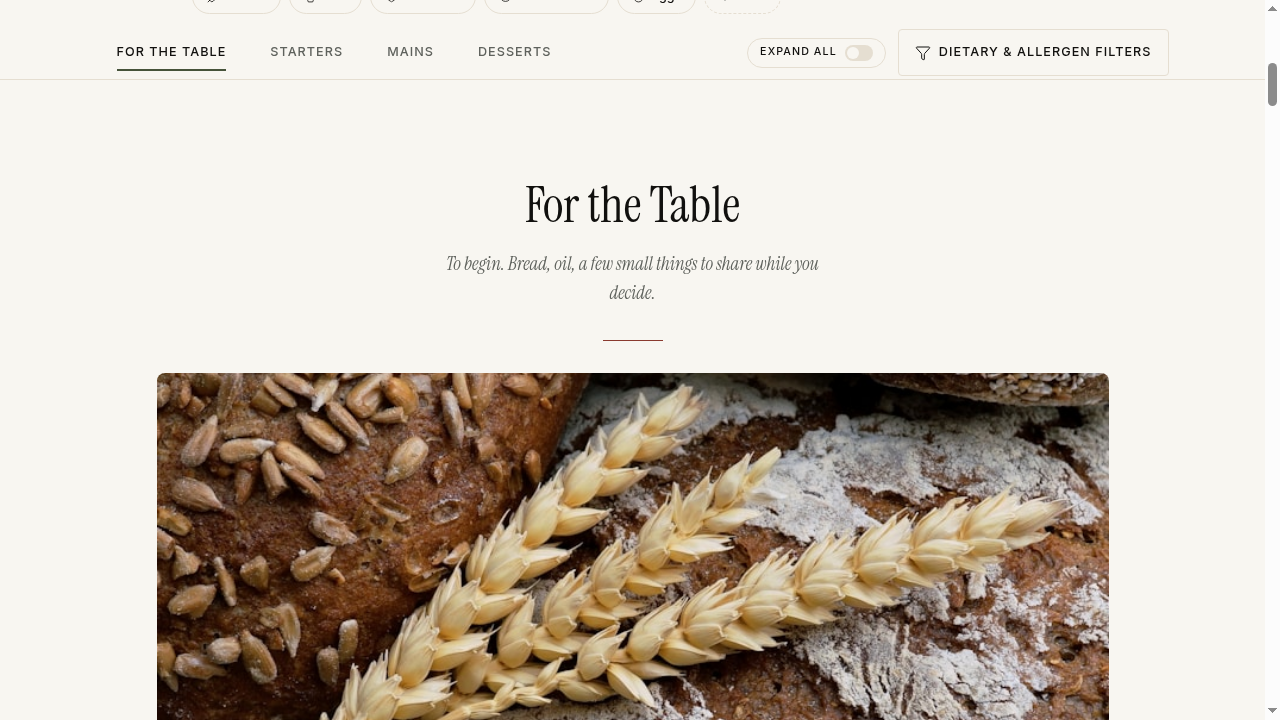
A section hero image with clean typographic rows underneath — polished without needing every dish photographed. The pragmatic choice for menus that change often.
Best for: Bistros, chef's tables, and menus with a few signature images
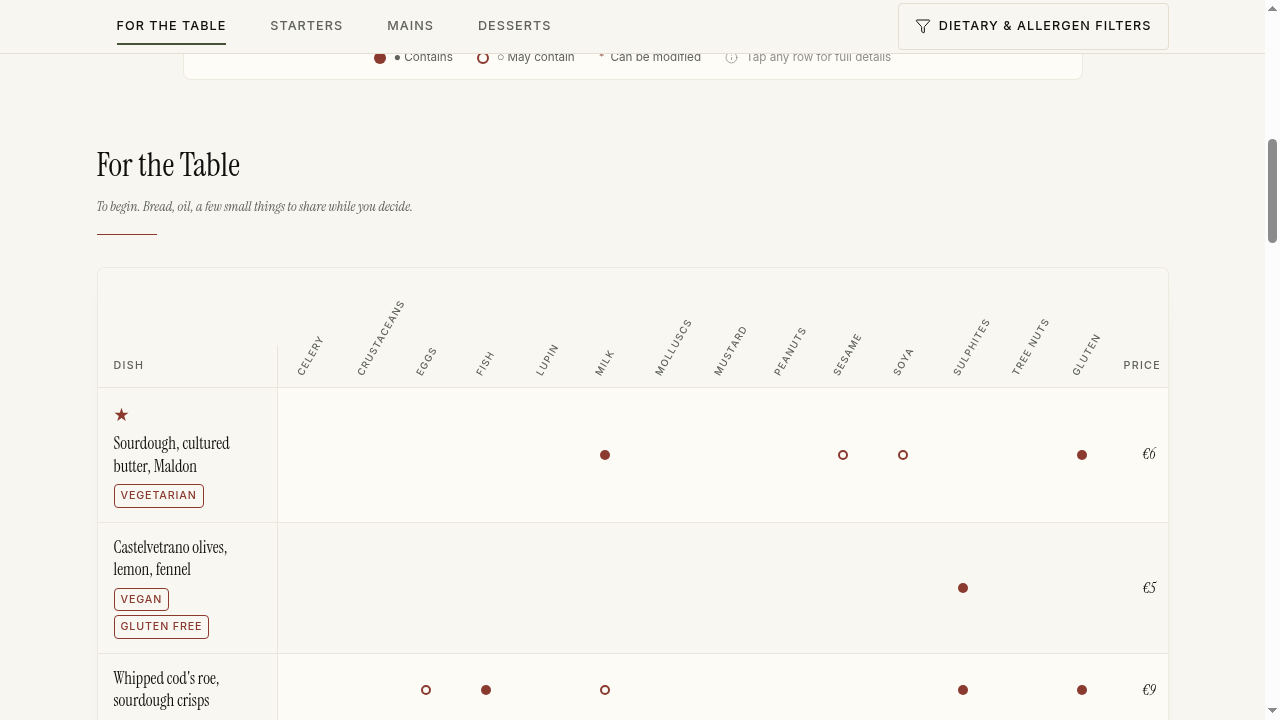
A dish × allergen view for guests and teams who need clarity at a glance. Every allergen is visible per dish, every modification flagged — designed for scale and compliance.
Best for: Hotels, large menus, catering, and compliance-first operations
Every style is fully brandable — primary colour, accent, typography pairing, and your logo are set once in branding and inherited across the QR menu, printables, and staff sheets.
Yes. Style is a setting on your menu — change it any time from the dashboard and the QR menu, printables, and staff sheets re-render to the new layout. Your dish data stays untouched.
Yes. Every style surfaces the EU 14 allergens listed in Regulation (EU) 1169/2011 with contains, may-contain, and can-be-made-without states. The Matrix style makes the full grid visible at once; the other three keep allergens inline per dish.
Yes. Each style ships with brand controls for primary colour, accent, typography pairing, and your logo. The defaults are restaurant-ready, so most teams adjust only colour and logo.
Typographic. It is designed to look intentional without imagery, using dish names, ingredients, and spacing as the visual rhythm. Hybrid also works if you have a handful of section hero shots.
The QR guest menu and printed guest PDF follow the chosen style. Kitchen allergen matrices and staff sheets use a consistent operational layout across all styles so service stays predictable.
Yes. À la carte, tasting, brunch, and bar menus can each have their own style — useful when the room shifts between services.
Try Crumb free for 30 days. No card required. Choose a paid plan when you're ready to continue.Build your menu, pick a style, and publish a QR code with matching printables on day one.